
What to Write Down After Every Playtest
Five minutes of notes after each session turns a month of playtesting into facts: the version, length, seats and winner, rules questions, and cards to look at.
· 3 min read
In this post
A month of playtesting leaves you with a feeling about your game and almost no facts. Which version were the long games on? Does the first player really win more? Was it the Ember Wraith everyone hated, or the Ash Drake? Five minutes of notes after every session fixes that.
The facts, every time
- The date and the version. Without the version, nothing else compares. Put it on your cards so you can't get it wrong.
- How long it took. Clock time, from the first turn to the last. Players' sense of length is useful, but it's a different thing.
- Who played, and where they sat. First player advantage hides until you've written down seat and winner for ten games.
- Who won, and the scores. If your game has factions or sides, note who played which.
That's thirty seconds, and it's the part that adds up.
What happened
- What worked: the moments people leaned in.
- What dragged: the turns people reached for their phones.
- What people asked: every rules question is a sentence missing from your rulebook. Write the question down word for word.
Cards worth another look
Note the cards that came up, with a word for why: too strong, too weak, confusing, or never used. A card that's "never used" in five games is as much a problem as one that wins them.
What you'll change
One line: what you'll try next. It turns a session into a decision, and next week you'll know why version 1.4 is different.
Keep it where you'll look again
Notes in a notebook get lost; notes in a chat get buried. Keep them together, by version:
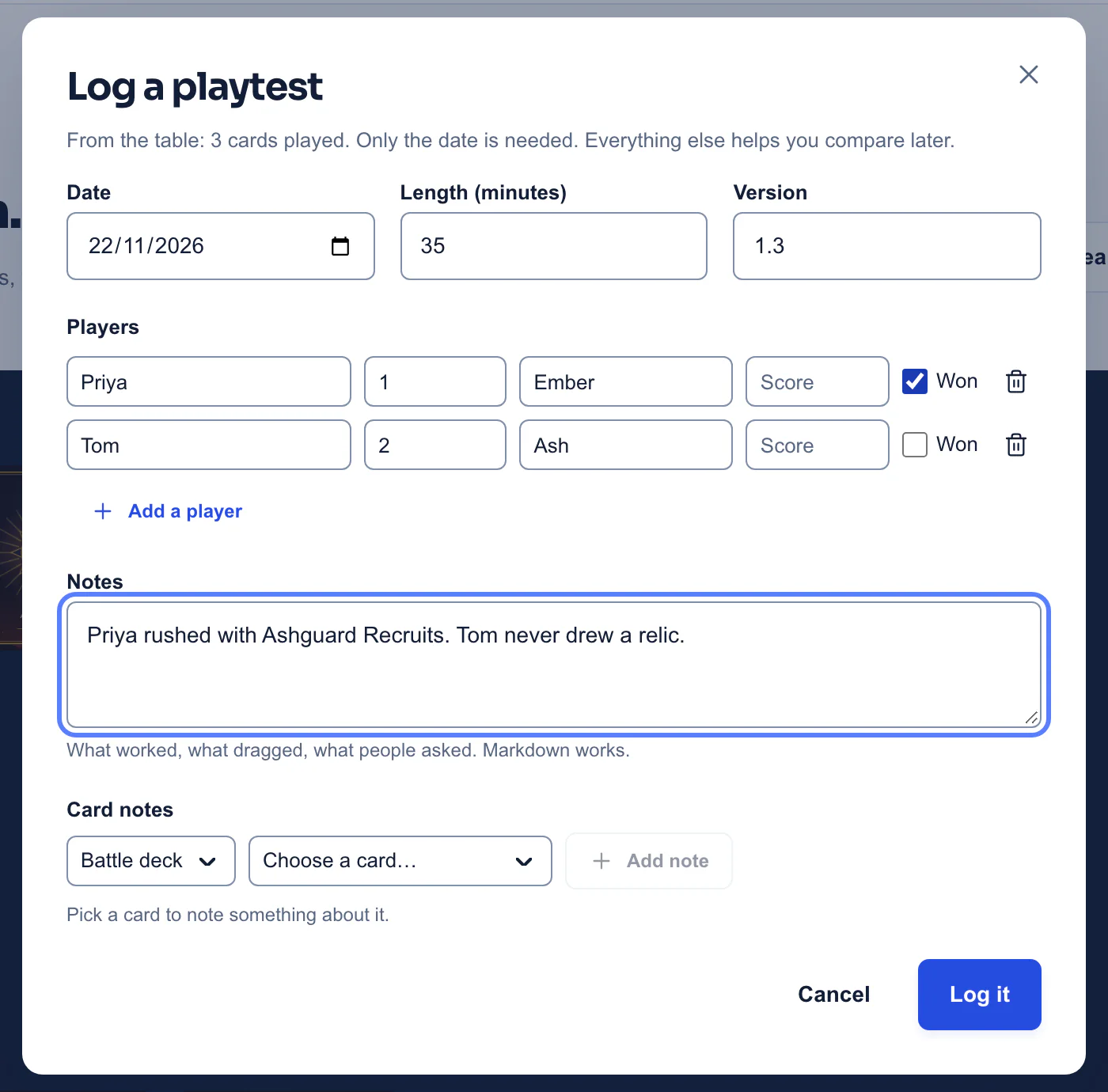
- Decklab AI's playtest log sits in your project. Log a playtest takes the date, length, version, players (name, seat, faction, score, who won), notes and card notes with a tag. End and log on the solo table fills in the length and the cards played. Over a few sessions, its summary shows the average length, the win rate by seat and side, the most and least played cards, and the most-noted cards, by version. See How to Keep a Playtest Log.
- At the table, the free log sheet prints these fields with room to write, so you can type them in later.
Playtest feedback and log sheets
Print a playtest feedback form for your testers and a log sheet for each session: edit the questions and fields, add your game’s name and version, and download a PDF on Letter or A4, one or two to a page. Free, in your browser, with no sign-up.
Then look back
Every five sessions, read your notes together. Is the length coming down? Is the same card in every complaint? The patterns are why you wrote it all down.