
How to Make a Two-Piece Game Box With a Lid
A tuck box is fine for one deck. For a bigger game, or a prototype that needs to look the part, make a two-piece box: a base and a lid that slides over it, printed and folded at home.
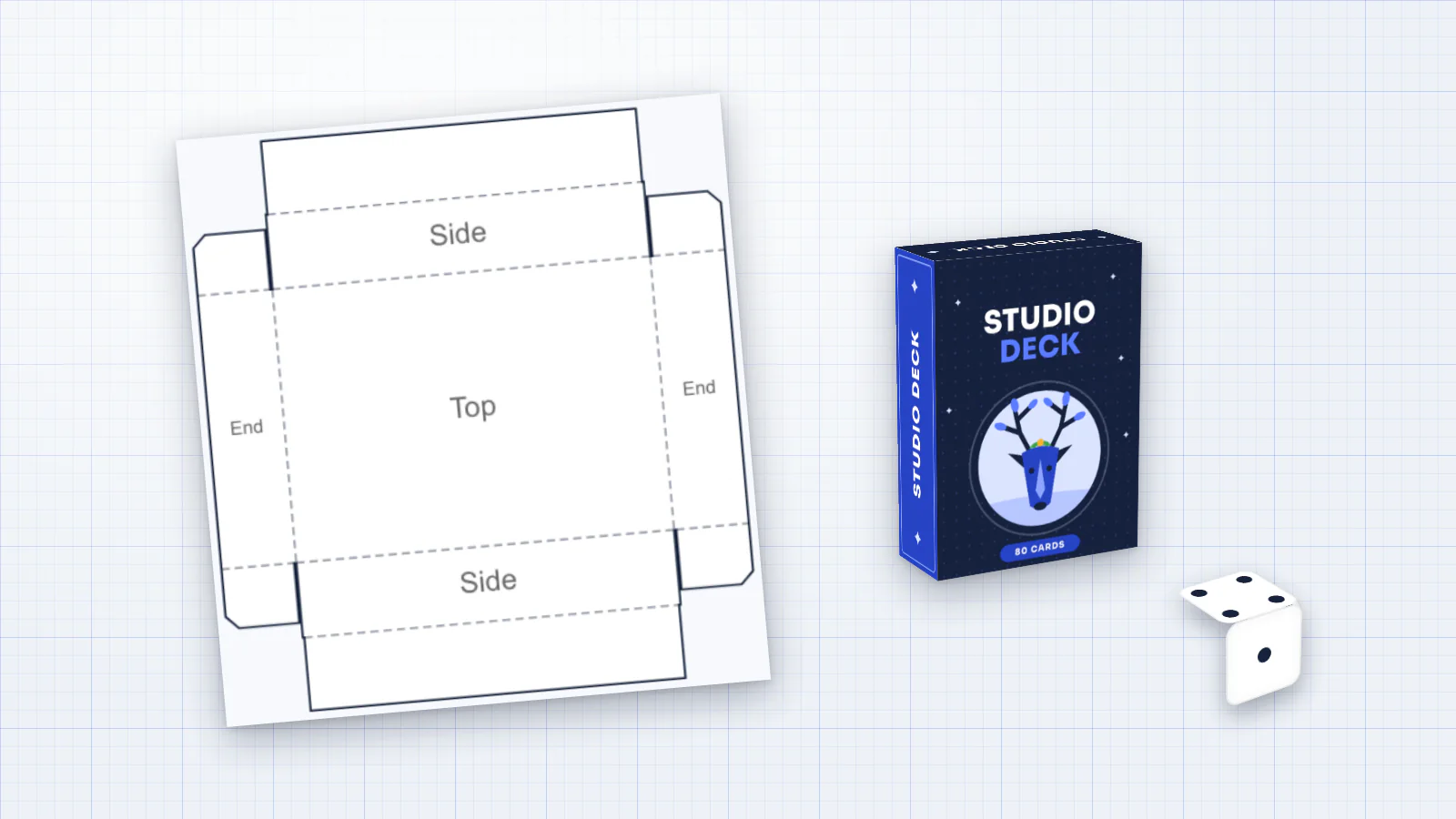
In this post
A tuck box is the quickest box for a deck of cards. But tuck boxes get floppy past about 100 cards, they don't hold tokens or dice well, and they look like a deck box rather than a game.
A two-piece box, a base tray and a lid that slides over it, fixes all three. It's how most board games and card games are boxed, and you can make one at home from card stock.
Two-piece box generator
Make a printable two-piece box, a base and a lid that slides over it, sized for your cards or any inside you type, with art on the lid and sides. Download a PDF with the cut and fold lines. Free, in your browser, with no sign-up.
Step 1: Work out the inside
Everything starts with the space the contents need.
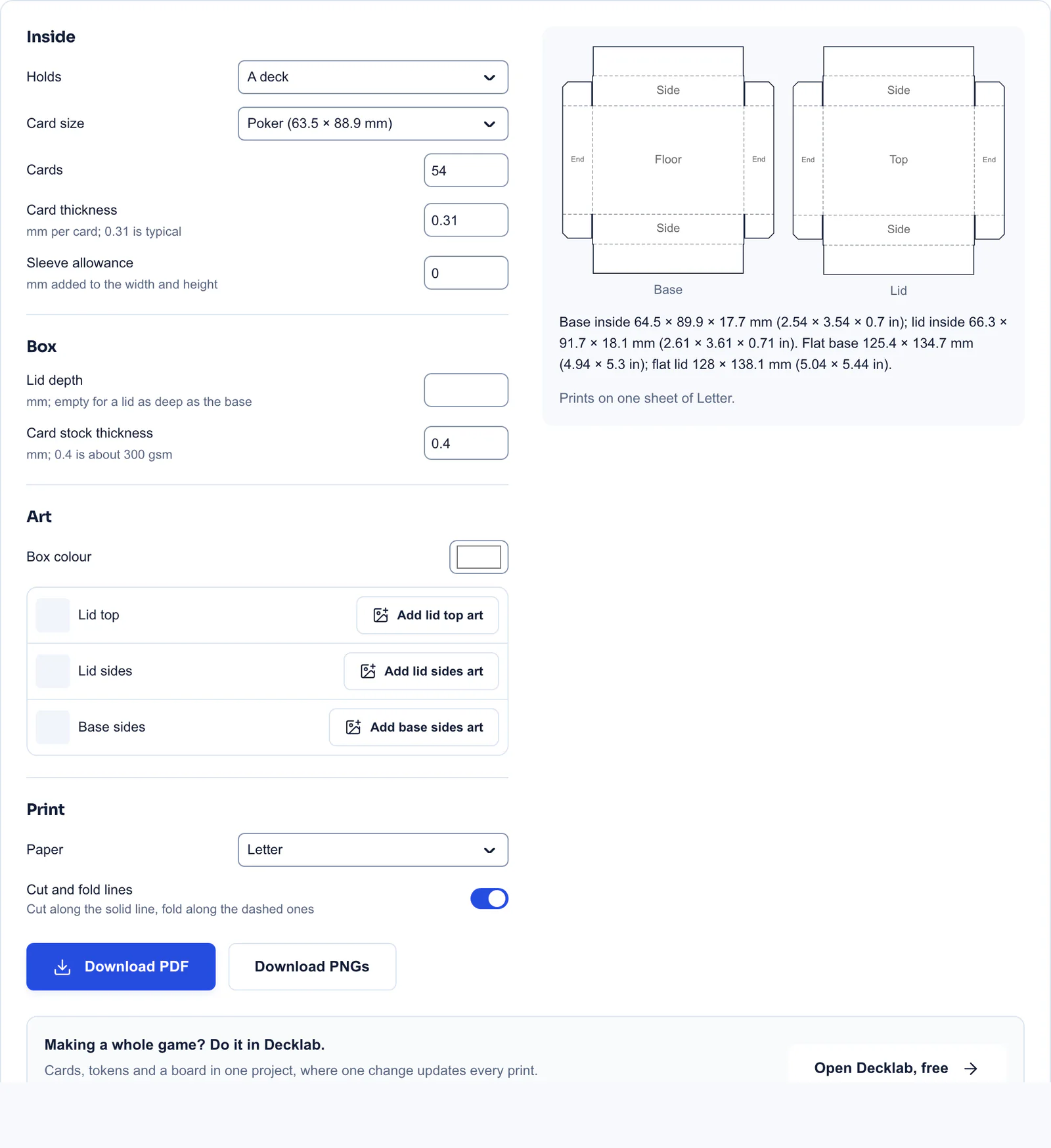
- For a deck: pick "A deck", then the card size, the number of cards and whether they're sleeved. The tool works out the inside, with a millimetre of room.
- For anything else: type the inside width, length and depth in millimetres: a deck plus a dice tray, a stack of tokens, a folded board.
For a sense of scale, the tool's pages list ready sizes for poker, bridge, tarot and mini decks.
Step 2: Pick the lid depth
- Full depth covers the base completely. It's the sturdiest, and it's the default.
- A shallow lid, a third to half of the depth, shows the base's sides and is easier to lift off. Type its depth in millimetres.
Step 3: Set the card stock thickness
This is the step that makes the lid fit. The lid has to be bigger than the base by the thickness of the card, plus a little room, or it won't slide on. Set the thickness of your stock and the tool sizes the lid to match.
Around 300 gsm (110 lb cover), 0.3–0.4 mm thick, is a good choice. Thicker card needs a little more room.
Step 4: Add art
Pick a box colour, and add art for the lid's top and sides and the base's sides. The preview shows both trays flat, with their panels labelled, so you can see where each image lands. The lid's top is your box cover: the game's name and one strong image is plenty for a prototype.
Step 5: Print, score and fold
Download the PDF and print it at 100% on card stock. A large box that doesn't fit your paper is split over several sheets with an assembly map, and the summary says how many sheets it takes. Or take the PDF to a print shop and print it on A3.
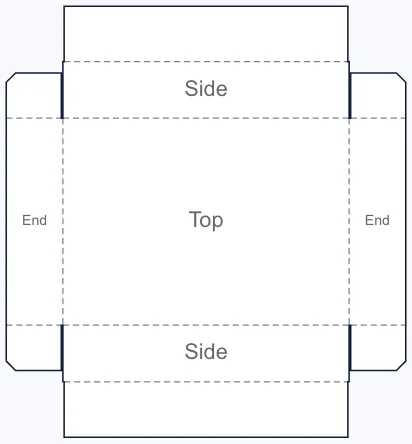
Each tray has double walls, which hide the glue and the raw edges:
- Cut along the solid lines.
- Score every dashed line with a ruler and a blunt point.
- Fold the end walls up and their corner tabs in.
- Fold each long wall up and over, down into the tray, so it traps the tabs.
- A dab of glue or double-sided tape on the inside wall holds it.
Do the base first, then the lid, and slide the lid on.
Tuck box or two-piece box?
| Tuck box | Two-piece box | |
|---|---|---|
| Best for | One deck | Several decks, tokens, dice, a board |
| Pieces to fold | One | Two: a base and a lid |
| Looks like | A deck box | A game |
Make it part of your project
In Decklab AI, a box is a component, sized from your project, with Base and Lid templates you design like cards and export with everything else. Need something to put in it? Try the token sheet maker or the printable dice maker.